Minecraft server chat,
on your phone
Read and reply to your server's chat and run commands without launching the game.
Free with ads · An unofficial app for Minecraft: Java Edition servers
Features
What ChatMC does
From chat and commands to your inventory and the map.
Servers
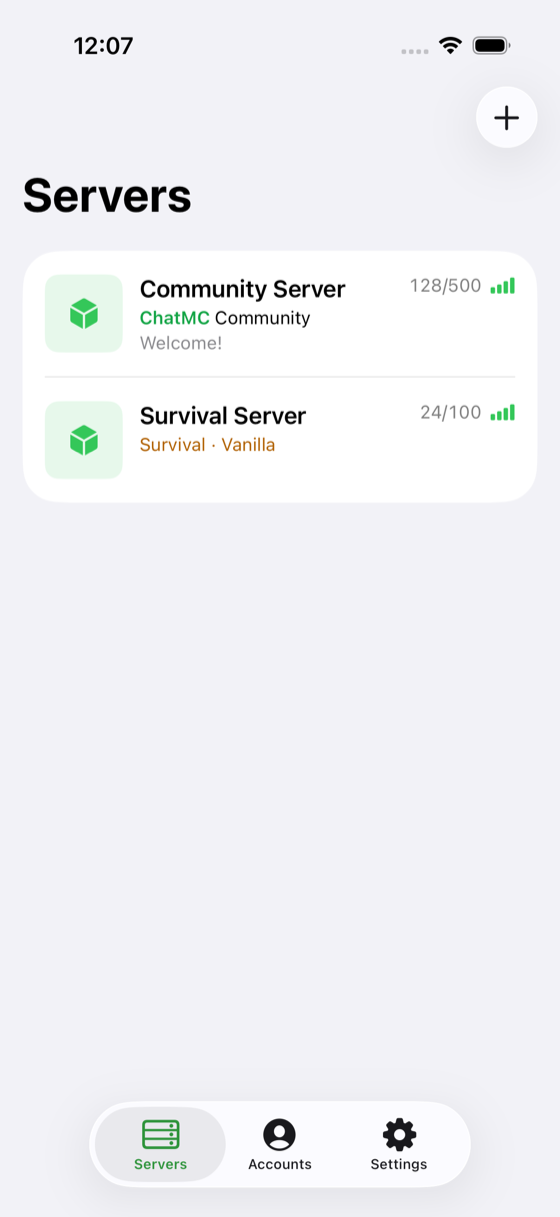
Every server, one glance
Keep your servers in one list with live player counts and connection quality, so you know whether it's worth joining before you tap.
Chat
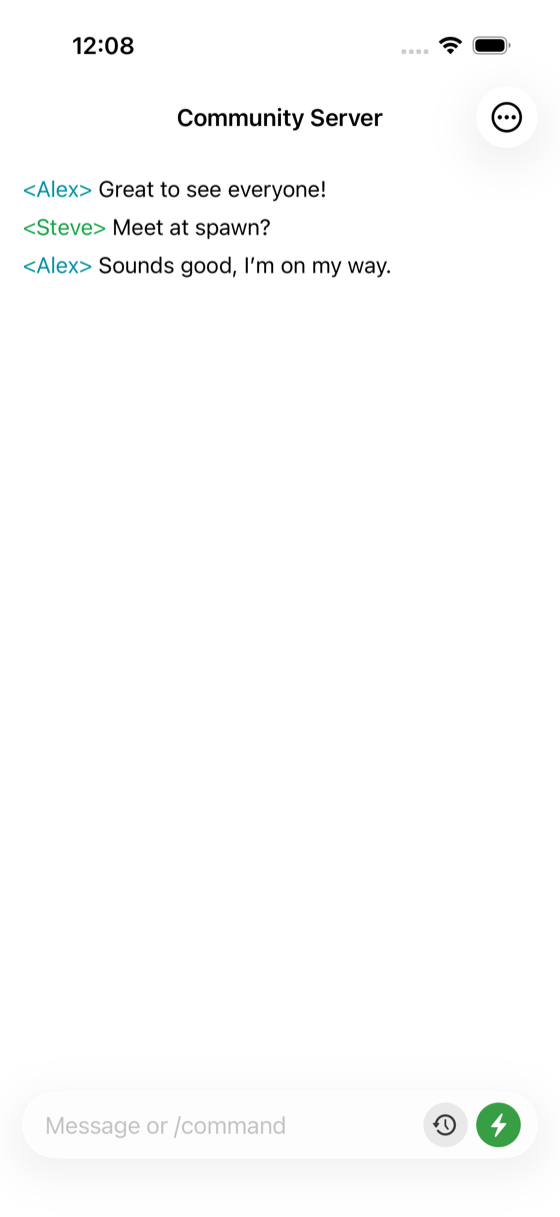
Stay in the conversation
Messages arrive as they are sent, with the names, colours and formatting your server already uses. Send messages and run any command you would normally type in game.
Quick inputs
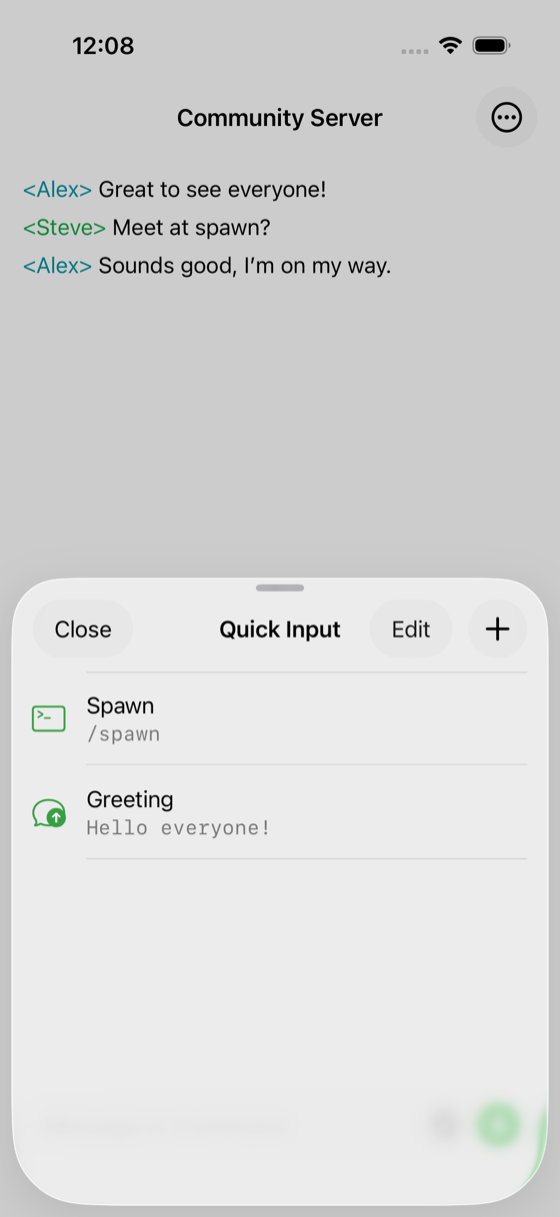
Send it without typing it again
Save the commands and messages you use most often and send them with a single tap. An entry can send immediately, or fill the input box so you can add to it first.
Inventory
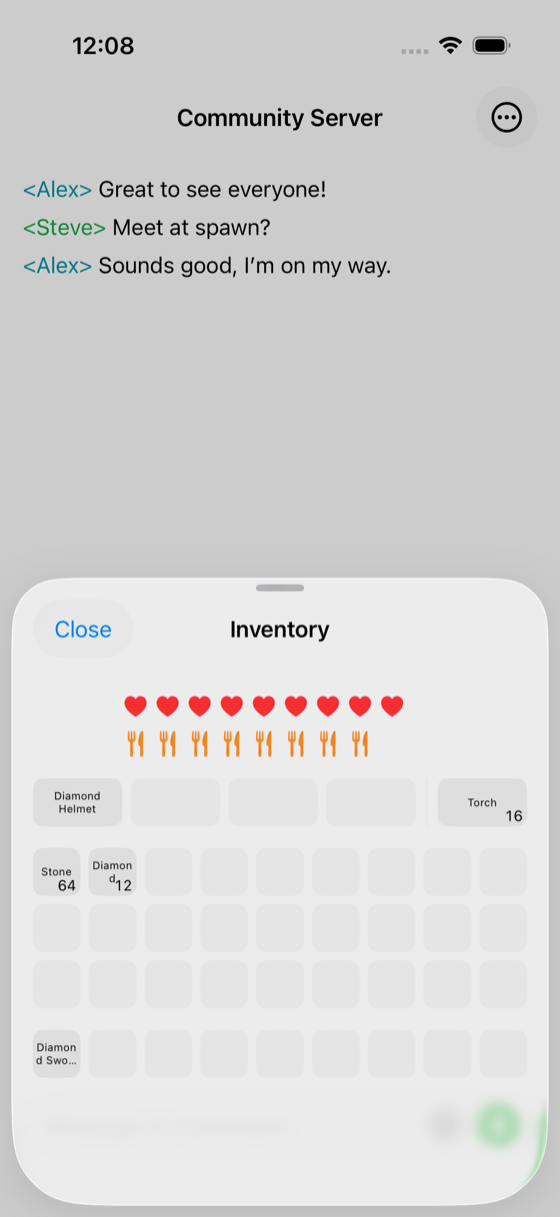
Check your gear anywhere
View your health, hunger and every inventory slot, including armour and the off-hand. Tap an item to see its details, or to move or drop it.
Map
Know where everyone is
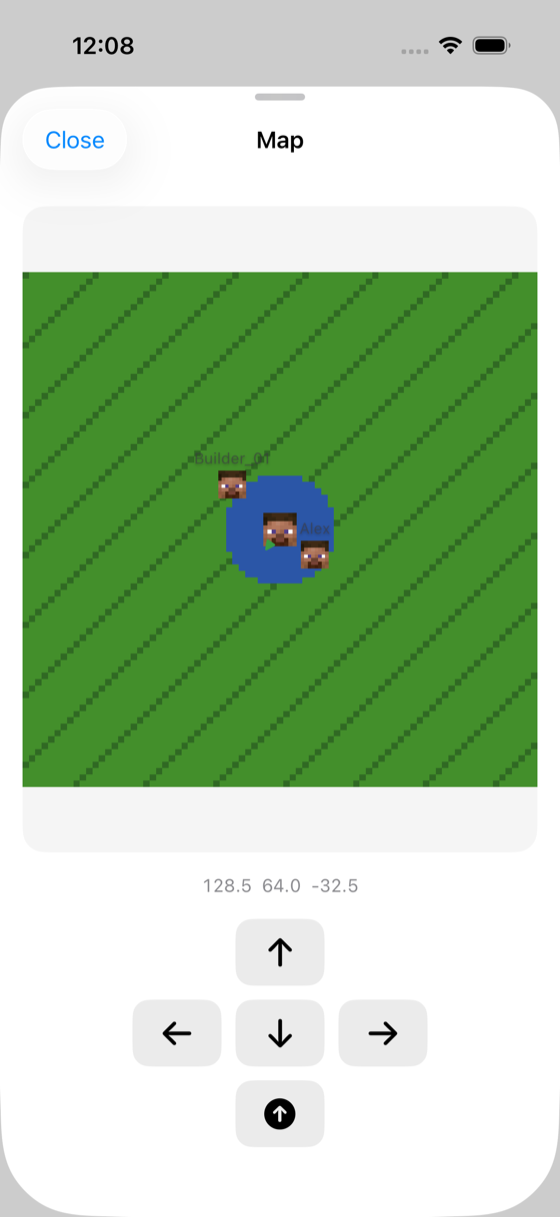
View the terrain around you and nearby players, with your exact coordinates below the map. Directional controls let you walk and jump without leaving the app.
Compatibility
The details that matter
What ChatMC works with, how signing in works, and where your data is kept.
Works with old and new servers
Supports Minecraft Java Edition 1.5.2 through 26.2, including servers behind proxies such as BungeeCord and Velocity.
Microsoft sign-in
Signing in happens on Microsoft’s own page. ChatMC never asks for or stores your password.
Several accounts at once
Keep several accounts, including offline profiles for servers that allow them, and switch between them at any time.
Chat formatting preserved
Server chat keeps its colours and formatting, so ranks, nicknames and plugin messages look the way they do in game.
Built for iOS and Android
Each version is built separately for its platform, and adapts to phone and tablet screens.
Your data stays on your device
Servers, accounts and settings are stored on your device, and ChatMC connects directly to the server you choose.
Languages
Translated into 15 languages
ChatMC uses your device language on first launch, and you can change it at any time in Settings.